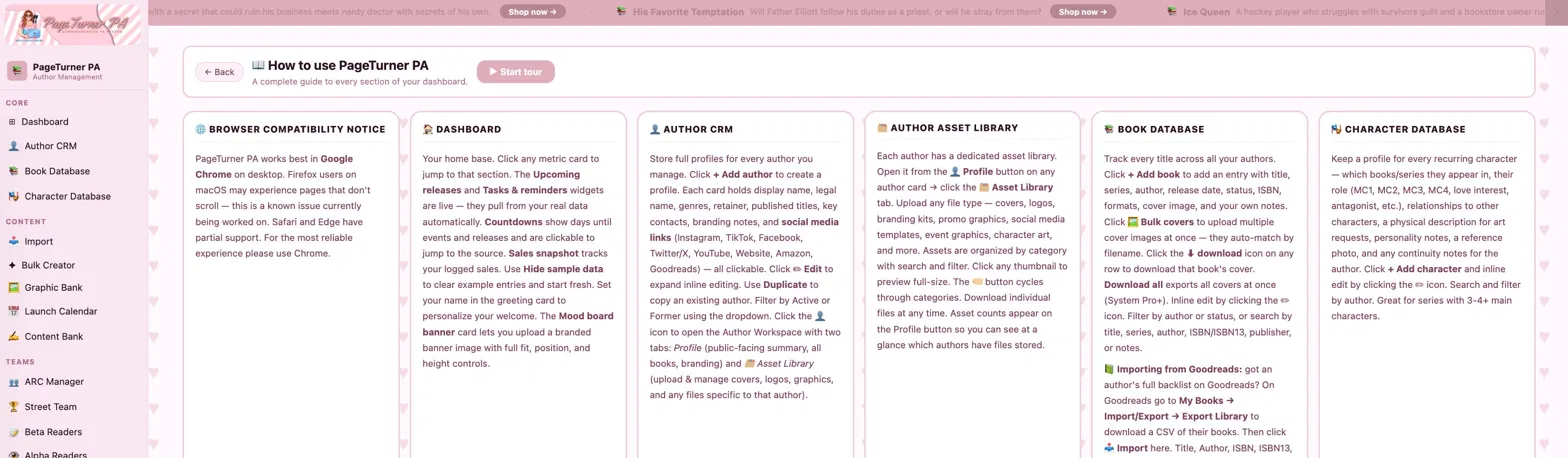

PageTurner PA works best in Google Chrome on desktop. Firefox users on macOS may experience pages that don't scroll — this is a known issue currently being worked on. Safari and Edge have partial support. For the most reliable experience please use Chrome.
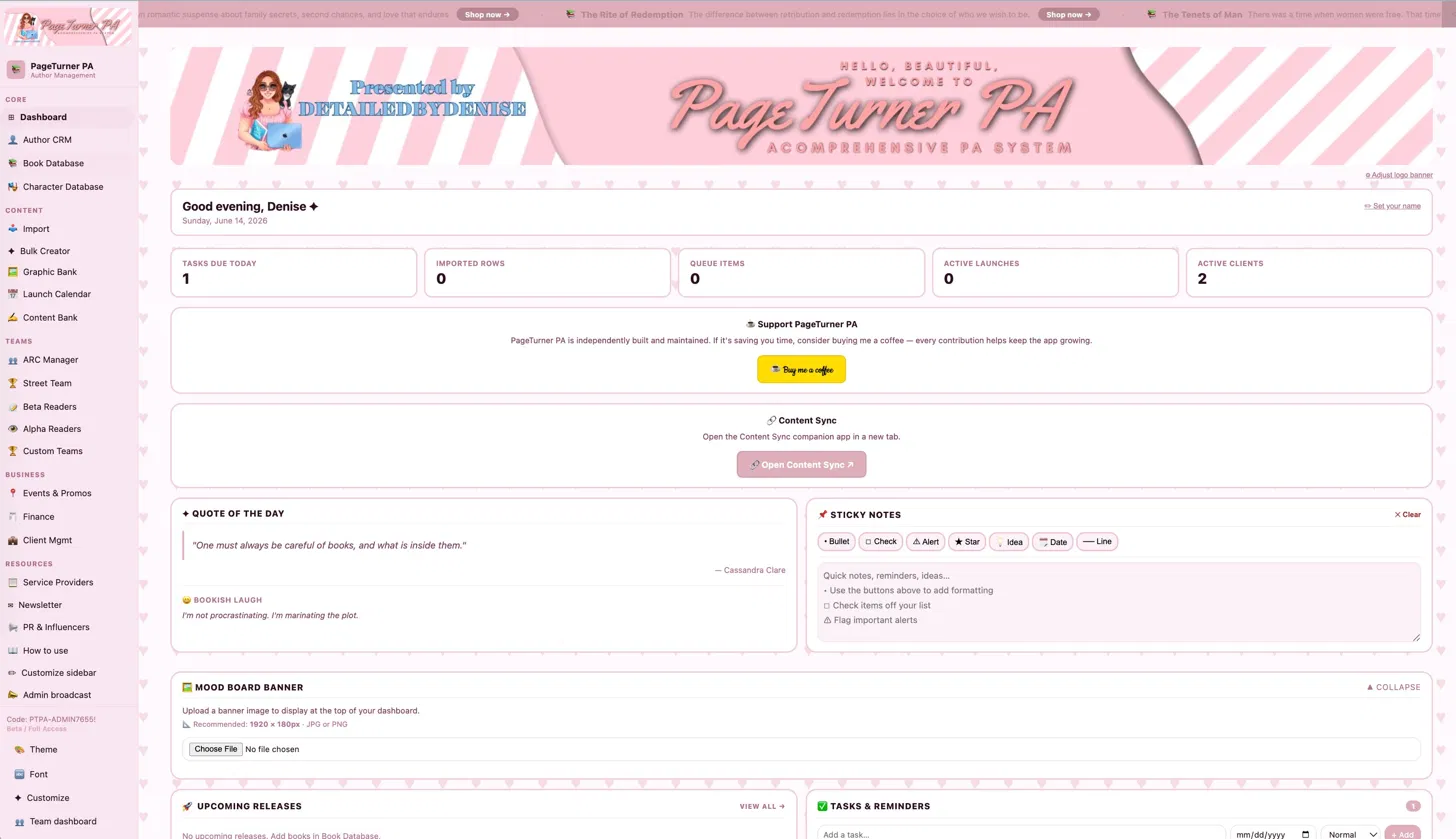
Your home base. Click any metric card to jump to that section. The Upcoming releases and Tasks & reminders widgets are live — they pull from your real data automatically. Manual tasks can be added, ticked off, edited (click the ✏️ to change the name, date, or priority), and deleted. Countdowns show days until events and releases and are clickable to jump to the source. Sales snapshot tracks your logged sales. Use Hide sample data to clear example entries and start fresh. Set your name in the greeting card to personalize your welcome. The Mood board banner card lets you upload a branded banner image with full fit, position, and height controls.
Store full profiles for every author you manage. Click + Add author to create a profile. Each card holds display name, legal name, genres, retainer, published titles, key contacts, branding notes, and social media links (Instagram, TikTok, Facebook, Twitter/X, YouTube, Website, Amazon, Goodreads) — all clickable. Click ✏ Edit to expand inline editing. Use Duplicate to copy an existing author. Filter by Active or Former using the dropdown. Click the 👤 icon to open the Author Workspace with two tabs: Profile (public-facing summary, all books, branding) and 🗂 Asset Library (upload & manage covers, logos, graphics, and any files specific to that author).
Each author has a dedicated asset library. Open it from the 👤 Profile button on any author card → click the 🗂 Asset Library tab. Upload any file type — covers, logos, branding kits, promo graphics, social media templates, event graphics, character art, and more. Assets are organized by category with search and filter. Click any thumbnail to preview full-size. The 🏷 button cycles through categories. Download individual files at any time. Asset counts appear on the Profile button so you can see at a glance which authors have files stored.
Track every title across all your authors. Click + Add book to add an entry with title, series, author, release date, status, ISBN, formats, cover image, and your own notes. Click 🖼 Bulk covers to upload multiple cover images at once — they auto-match by filename. Click the ⬇ download icon on any row to download that book's cover. Download all exports all covers at once (System Pro+). Inline edit by clicking the ✏ icon. Filter by author or status, or search by title, series, author, ISBN/ISBN13, publisher, or notes.
📗 Importing from Goodreads: got an author's full backlist on Goodreads? On Goodreads go to My Books → Import/Export → Export Library to download a CSV of their books. Then click 📥 Import here. Title, Author, ISBN, ISBN13, Publisher, Binding, Number of Pages, Year Published, and Original Publication Year all map in automatically straight from Goodreads' export columns — everything else in that export (your star ratings, reviews, shelves, dates read, etc.) has no matching field, so it's left out entirely. The next step is a search box: type a title or author to find specific books, check the ones you want, or use Select all matches — with the search box empty, that selects every book in the file, so you can bring in your whole library across every author in one go if you'd rather. Author, ISBNs, and publisher are all searchable afterward from the Book Database search box. Review, confirm, and fill in series/status/cover/notes afterward.
☑ Bulk edit: every row has a checkbox, and the column header checkbox selects everything currently shown (respecting your search/filters). Selecting any row reveals a toolbar with 🗑 Delete selected — handy for cleaning up after importing more of your library than you meant to.
🖼 Cover images: each book's edit row lets you upload a cover, pick one from that author's Asset Library (Author CRM), or pick one from the Graphic Bank via a dropdown — any cover reveal, mockup, or other graphic you've uploaded for that author (or marked "All authors") shows up there.
🔗 Retail & campaign links: click + Add link in a book's edit row to add as many links as you need, each with its own label — Amazon, Book2Read, BookFunnel, Bookshop.org, Goodreads, the author's website, an ARC sign-up form, whatever applies to that title. Every link with a label shows up as a small tappable pill under the title in the Book Database table.
Keep a profile for every recurring character — which books/series they appear in, their role (MC1, MC2, MC3, MC4, love interest, antagonist, etc.), relationships to other characters, a physical description for art requests, personality notes, a reference photo, and any continuity notes for the author. Click + Add character and inline edit by clicking the ✏ icon. Search and filter by author. Great for series with 3-4+ main characters.
Upload CSV or Excel files to bulk-import data into any section. Drop a file, paste CSV text, or paste a Google Sheets URL. PayPal CSV exports are auto-detected for invoices. Map your columns to the right fields, preview the first rows, then choose Add, Merge, or Replace mode. For sections with an Author field, an optional "Only import rows for this author" filter narrows the preview and import to just one author — handy when your spreadsheet (e.g. a full Goodreads export) covers multiple authors but you only want one client's rows. Import buttons appear throughout the app — Author CRM, Books, Finance, ARC, Street Team, Newsletter, Service Providers, PR & Influencers, and more.
Author CRM is the single source of truth. Every author dropdown across the entire app — Book Database, Events, Finance (invoices, contracts, wholesale), Newsletter campaigns, Bulk Creator, ARC, Street Team, Graphic Bank, Content Bank, Launch Calendar, PR & Influencers, and Quick Links — is automatically populated from your Author CRM. Add or rename an author there once and every section updates instantly. No manual re-entry needed anywhere else.
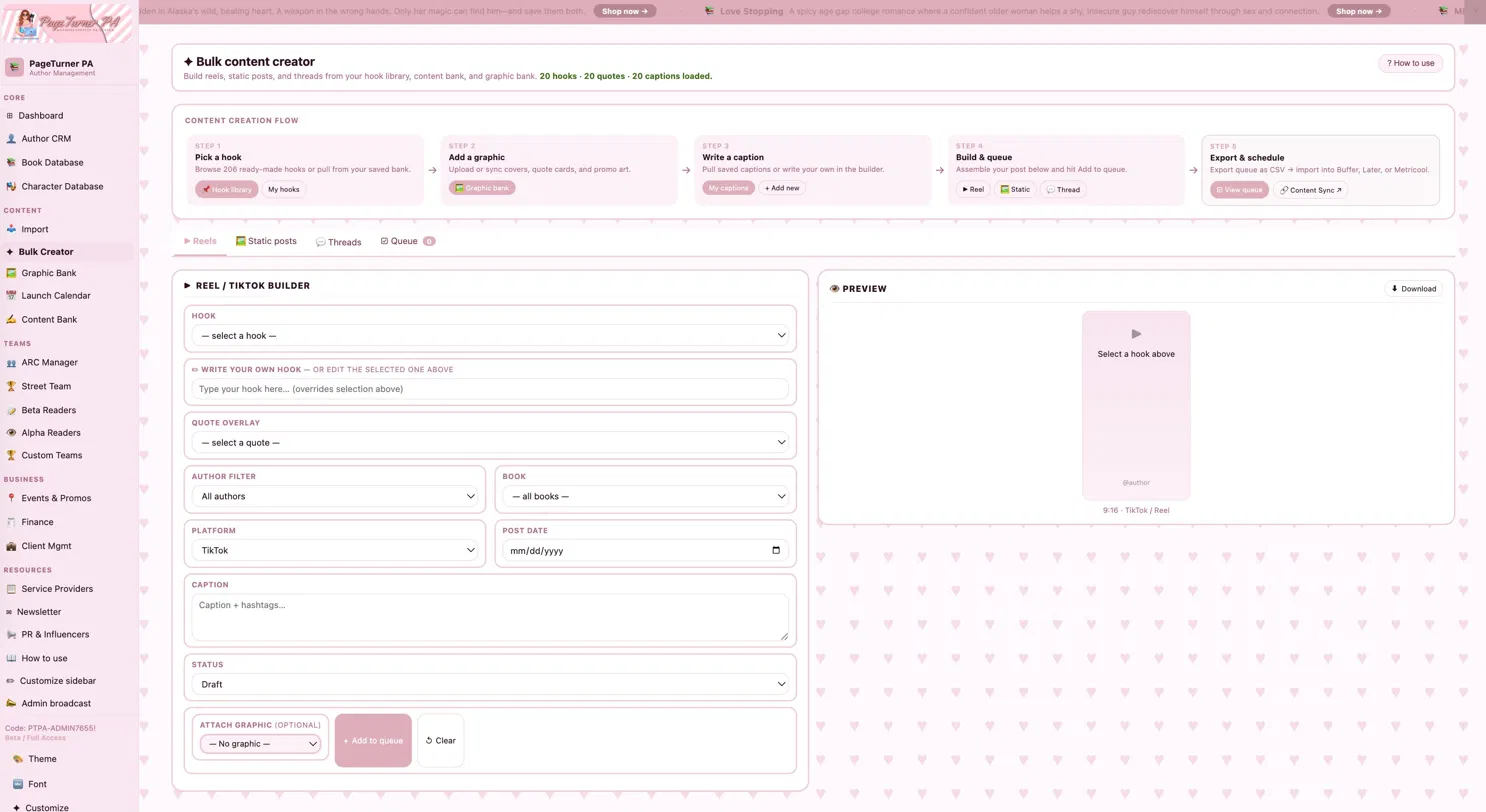
Build social content at scale. Choose Reels/TikTok, Static post, or Thread/Carousel. Select a hook and caption from your Content Bank or type your own, then click Add to queue. Content from your Content Bank feeds the dropdowns here automatically — anything you add to the bank shows up immediately. Go to the Queue tab to review, and export as CSV to schedule in Buffer, Later, Hootsuite, or Metricool. Queue items save correctly and persist on refresh.
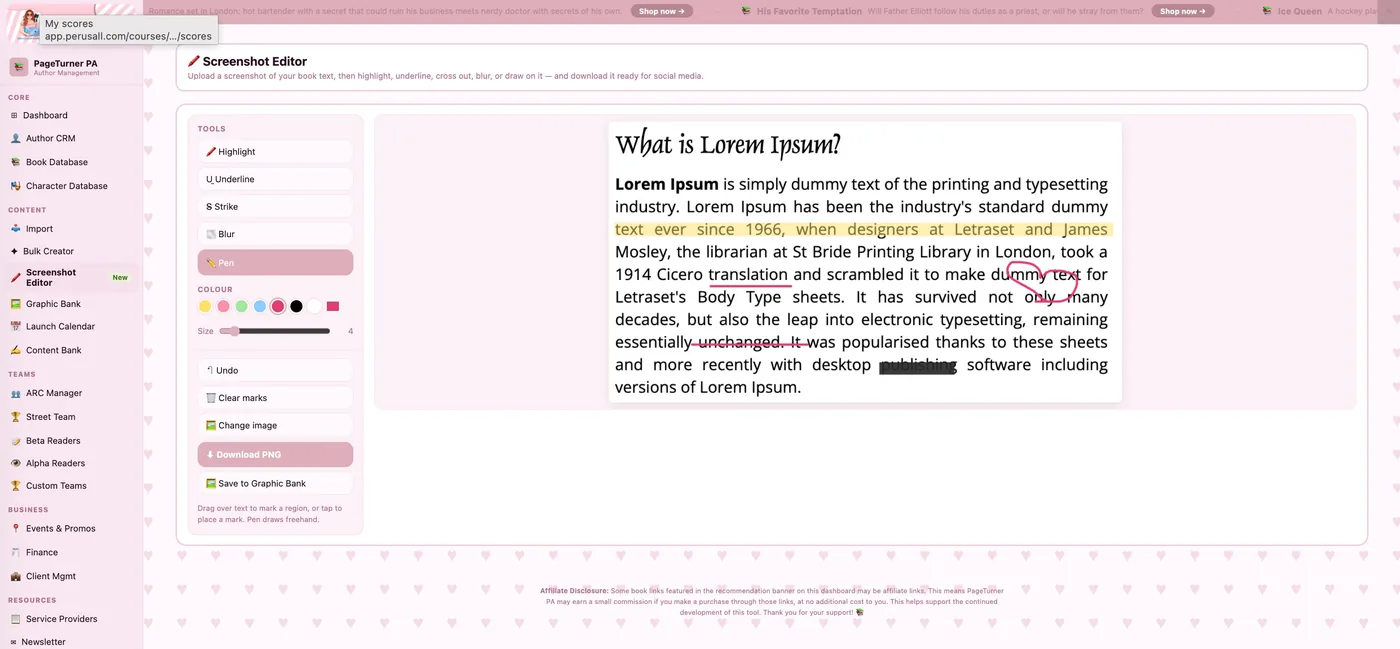
Turn a screenshot of your book text into eye-catching social media content. Open it from the Screenshot Editor item in the sidebar, or the 🖍 Screenshot Editor button in any book's edit row.
How it works: upload a screenshot (PNG/JPG) of a passage — from your Kindle, a PDF, anywhere — by clicking or dragging it in. Then pick a tool and mark it up: 🖍 Highlight, U̲ Underline, S̶ Strike-through, 🌫 Blur (to hide spicy or banned words), or ✏️ Pen for freehand drawing. Drag across text to mark a region, or tap to drop a mark.
Choose any colour (preset swatches or a custom picker) and adjust the mark size; highlights also have an opacity slider. Use ↶ Undo or 🗑 Clear marks to fix mistakes, 🖼 Change image to start over, and ⬇ Download PNG to save your finished image. You can also hit 🖼 Save to Graphic Bank to drop the marked-up image straight into your Graphic Bank, where it's available to the Bulk Creator and the rest of your content tools.
Store and organize graphics by type and author. Upload images directly — pick author, pick type, select files. Or connect a public Google Drive folder and click Sync from Drive.
File naming for auto-detection: When syncing from Drive using All assets, the system reads your filenames to auto-assign types. Name your files like this:
Teaser_v2.mp4 → Teaser
QuoteCard_01.png → Quote card
ARC_Banner.png → ARC graphic
Moodboard_Jan.jpg → Moodboard
Promo_BookBub.png → Promo
Banner_Newsletter.jpg → Banner
CharArt_Character1.png → Character art
Anything that doesn't match a keyword is saved as Asset. Download individual graphics (all tiers) or bulk-download (System Pro+). Select multiple and click Send to queue.
Generate a full launch plan automatically. Pick a template — Standard 6-week, Rapid 2-week, Wide 8-week, or KU/KDP 4-week — enter the release date, and all milestone dates calculate instantly. Includes blog tour, ARC send dates, cover reveal windows, and pre-order reminders.
Central library of hooks, quotes, and captions. Add manually or import from a spreadsheet. Filter by author, book, or content type. Items added here automatically flow into the Bulk Creator — hook, quote, and caption dropdowns update instantly. Click Send to queue on any item to add it directly to the Bulk Creator queue. Everything saves correctly and persists on refresh. Integrates with Buffer, Later, Hootsuite, and Metricool via CSV export from the Bulk Creator queue.
Manage ARC readers and campaigns in two tabs. Readers tracks individual readers with star ratings, social handles, genres, and review history. Campaigns tracks reader assignments, status, and review links per book. Each reader and campaign has an Author field — assign readers to a specific author from your CRM and use the author filter dropdown to view only that author's readers and campaigns. Filter by genre. Import readers or campaigns via CSV.
Selecting & exporting for a send: tick the checkbox on each reader you want for an ARC round. Use the bar above the table to Select all shown (it respects your author/genre filter and search, so filter to one book's signups first), see your running count, or Clear. When ready, Export emails (CSV) downloads the selected readers' email addresses (opens in Google Sheets or Excel) and copies them to your clipboard for pasting into a BCC field — or Export full details for the complete reader info. Re-importing the same signup form won't create duplicates: readers are matched by email, and your selections are kept.
Gamified leaderboard for street team members. Points are logged manually in the Participation tab — shares (10 pts), posts (15 pts), reviews (50 pts), referrals (25 pts). The leaderboard sorts automatically. Each member has an Author field — assign members to a specific author when adding or editing. Filter by author to see that author's leaderboard, participation tracker, and member list separately. PAs managing multiple authors can keep each author's team completely separated.
Track full-manuscript beta readers. Log book, reader, date sent, feedback status (Received / Partial / Overdue / Awaiting), notes, and follow-up. Each entry has an Author field — assign entries to a specific author and filter by author to see only their beta readers. Also filter by book. Use status badges to know who to follow up with.
Same structure as Beta Readers but for first-look readers who see chapters as they're written. Each entry has an Author field so you can filter by author and keep each client's alpha readers separate. Ideal for authors who share work-in-progress with a select inner circle before full beta.
Create unlimited named teams with their own leaderboards — Elite Street Team, VIP Launch Crew, ARC All-Stars, anything. Click + New team, give it a name and custom point values per action. Add members manually, from the system member dropdown, or by importing a spreadsheet. Each team has its own leaderboard and participation tracker.
Three tabs: Conventions for in-person events, Kindle/KU for KDP promotions, and Promos for BookBub, newsletter swaps, and promo sites. Events feed the live countdown widget on your dashboard — click any countdown card to jump straight to that event.
Four tabs: Invoices for client billing (supports PayPal CSV auto-import), 🔁 Recurring for retainers and other repeat invoices, Contracts to store agreement details with document links, and Wholesale for bulk book order tracking. All entries are editable, deletable, and fully persistent — data saves correctly and survives page refreshes. The four metric cards at the top (Outstanding invoices, Paid this month, Active contracts, Renewals due) update live from your real data every time you add or change an entry. Unpaid invoices auto-pull into the Tasks & reminders widget.
🔁 Recurring invoices: set up a template once — client, services, amount, frequency (weekly, every 2 weeks, monthly, quarterly, yearly), and the next invoice date. Whenever you open the app on or after that date, PageTurner PA automatically creates the real invoice in the Invoices tab with the month/year filled in, then advances to the next period. Use the 🔁 button on any template to generate the next invoice early, and ⏸/▶ to pause or resume a template.
Four tabs: Client dashboard shows a live card for each active author pulled from your Author CRM, with retainer, deliverable progress bar, and service tags — click ✏ on any card to edit those details directly. Deliverables tracks individual to-dos per client with due dates and status (Not started / In progress / Done), filterable by client and status. SOP Library holds your Standard Operating Procedures with 5 pre-loaded templates — expand any to read, edit, or print. + Add client creates a new Author CRM entry in one step — name, service type, monthly retainer, contract start date, services included, and notes — and it appears on the Client dashboard immediately. Add genres, socials, and a photo afterward from Author CRM.
A vetted directory of editors, designers, character artists, and PR companies — pre-loaded with recommended providers. Add your own with name, type, specialties, rate, turnaround, website, email, social media handles (Instagram, TikTok, Facebook, Twitter/X, LinkedIn), rating, and notes. The Refer button drafts a referral email. Edit or remove any entry. Import providers via CSV.
Track newsletter campaigns per author. Log subject line, send date, platform (MailerLite, Mailchimp, etc.), open rate, click rate, and notes. Open rate badges color-code automatically. Attach proof or design links per campaign. Import campaigns via CSV.
Two tabs: Influencer database tracks outreach (platform, followers, genre, status, contact, notes) with a built-in email outreach button. PR Mail logs press kit send-outs (recipient, items sent, tracking). Points in Street Team and Custom Teams are logged manually in the participation tracker.
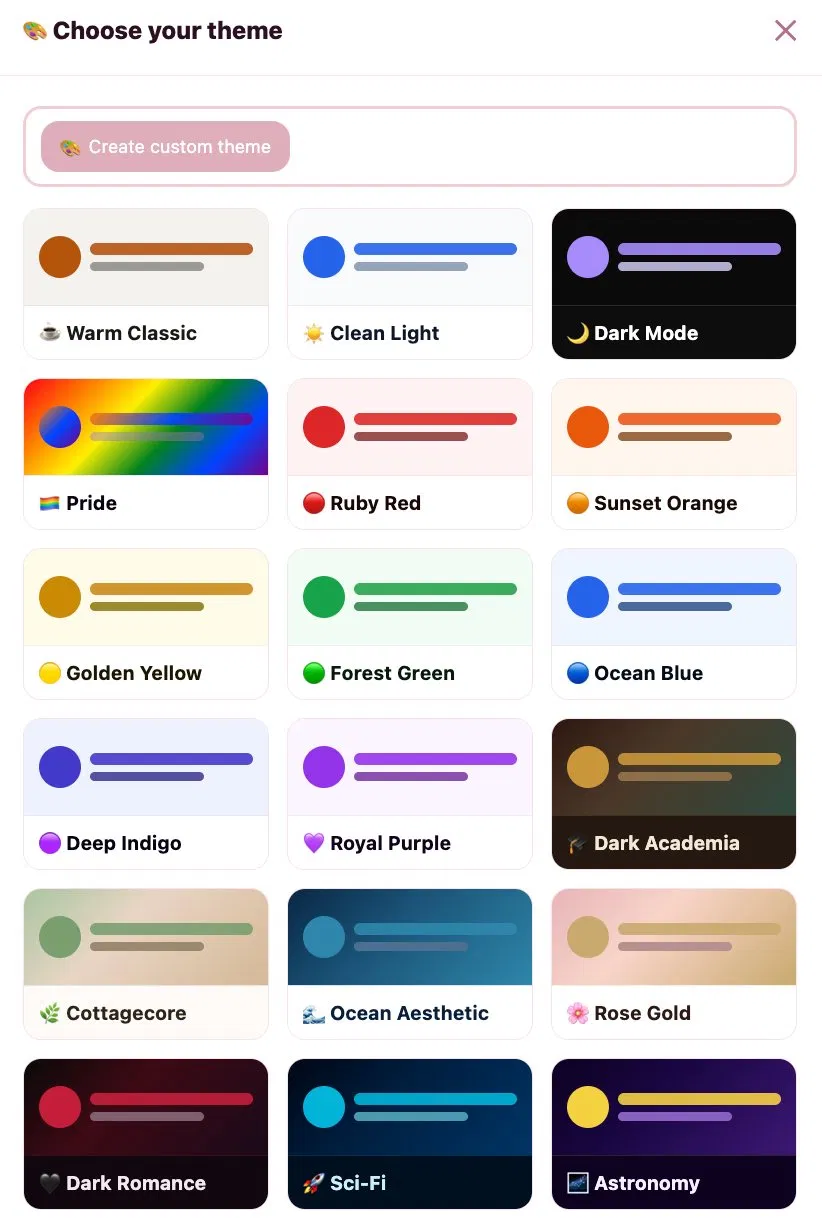
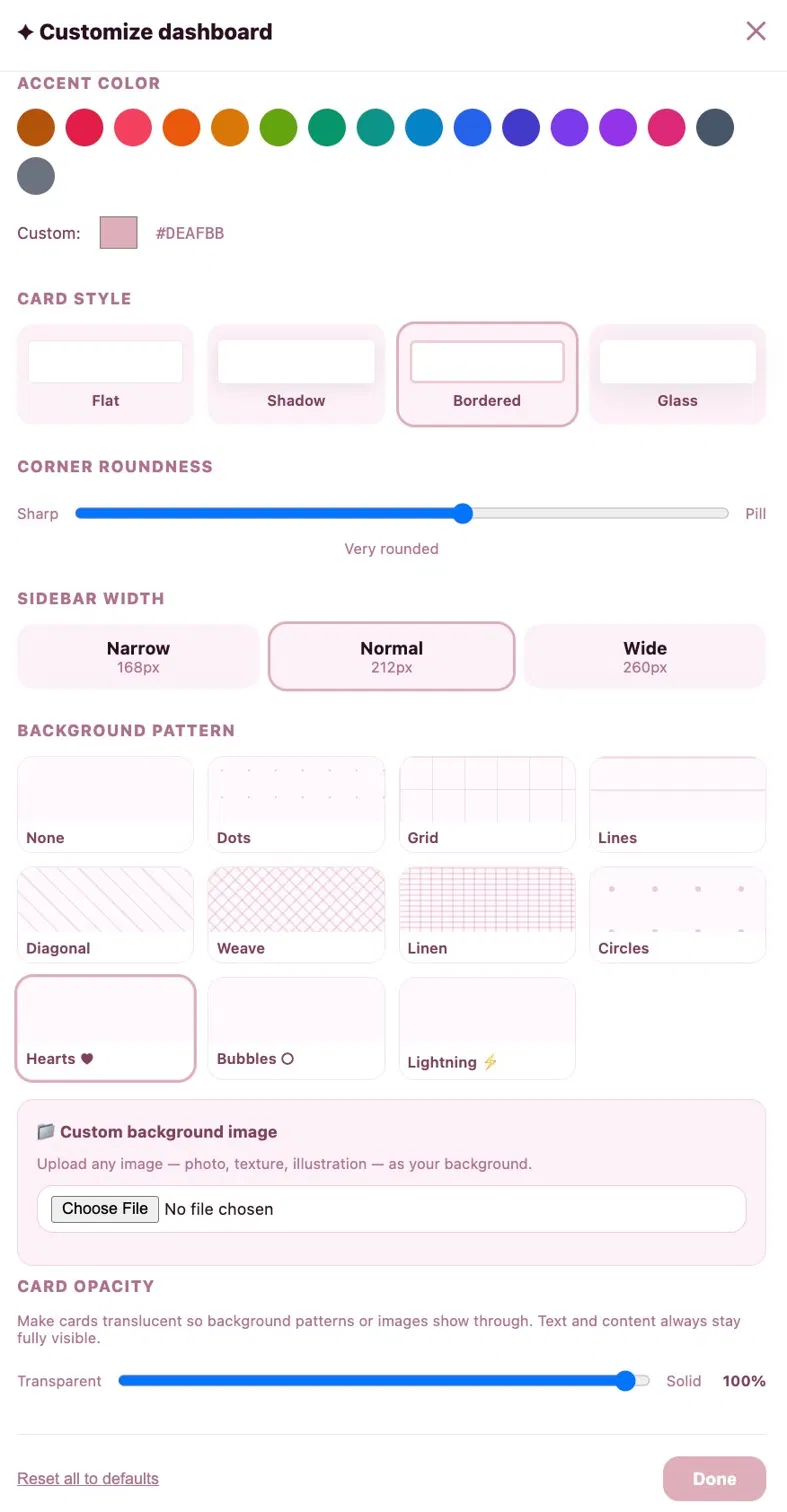
Click 🎨 Theme for 21 themes — 11 basic (all tiers) and 10 premium (System Pro+): Dark Academia, Cottagecore, Ocean, Rose Gold, Dark Romance, Sci-Fi, Astronomy, Contemporary Romance, Clean Girl, Emo Girl. Click 🔤 Font for 12 typefaces + font size. Click ✦ Customize for accent colors, card styles (Flat/Shadow/Bordered/Glass), corner roundness, sidebar width, card opacity, background patterns, and custom background image with tile size, fit, and opacity controls. All settings save per access code automatically.
A slim rotating banner at the top of your dashboard features book recommendations with Amazon links — updated monthly with new releases and reads. It rotates automatically every 6 seconds and you can use the ‹ › arrows to browse manually. Click Shop now → to open the Amazon link in a new tab. Click ✕ to dismiss it for your current session — it will reappear next time you open the dashboard. No setup needed on your end; it updates automatically.
Store shortcuts to your most-used tools — KDP dashboard, Canva, MailerLite, Google Drive, and more. Click ✏ Edit links to add, edit, or remove links. Click the 🔓 add login button on any link to save a username and password — protected by a PIN you set. Click 🔐 saved to view or edit saved credentials. The vault locks when you close the app.
Add personal or work tasks with a due date and priority (Normal / 🔴 High / 🔵 Low). Tasks auto-pull from unpaid invoices, upcoming book releases (within 30 days), events (within 7 days), overdue ARCs, and contract renewals. Check tasks off when done. The count updates the metric card at the top of the dashboard.
Your access code is tied to your purchase and limited to 2 devices. Data is stored locally in your browser — clearing your browser cache will clear your dashboard data. Click 🔒 Lock dashboard and confirm to log out. Beta testers must sign a Confidentiality NDA and the Terms of Use before accessing the dashboard. To reset a code, contact detailedbydenise@outlook.com.
Your data now syncs automatically across your devices through your access code — log in on your phone, tablet, or another computer and your authors, books, content, theme, and customizations come with you. Your subscription covers a set number of devices per code.
Backups are your personal safety net on top of that. Click 💾 Backup & restore in the sidebar to download a complete copy of all your data — authors, books, invoices, content, team members, events, graphics, and more — as a single .ptpa file. Keep it in Google Drive, iCloud, or Downloads. To restore, open the modal, click Choose backup file…, select your file, review the preview, and confirm. Your dashboard is restored in seconds, no refresh needed.
Restoring from your phone? No problem — if your phone renamed the backup file when you downloaded it (a common quirk), restore still works. We check what's inside the file, not its name, so your backup loads even if the extension looks off.
Found a bug, have a feature idea, or just want to share feedback? Email contactus@pageturnerpa.com — screenshots are super helpful, especially for visual glitches (just drag the image into your email). Include your access code and what you were doing when it happened, and it'll get looked at as soon as possible.
Email contactus@pageturnerpa.com| Column | Type | Example | Maps to |
|---|---|---|---|
| Hook | Text | POV: he thought she was soft… | hook |
| Caption | Text | The cover that broke the internet ✦ | caption |
| Quote | Text | "She didn't want saving…" | quote |
| Platform | Text | TikTok / Instagram / All | platform |
| Type | Text | Reel / Static / Thread | type |
| Status | Text | Draft / Ready / Scheduled | status |
| Post date | Date | 2026-06-14 | post_date |
| Author | Text | Vivienne Monroe | author |
| Book | Text | Shadows & Salt | book |
Ready-to-use hook templates for reels, TikToks, and social posts. Replace ___ and (blanks) with your book details. Click + Add to bank to save any hook to your Content Bank for easy access in the Bulk Creator.
Affiliate Disclosure: Some book links featured in the recommendation banner on this dashboard may be affiliate links. This means PageTurner PA may earn a small commission if you make a purchase through those links, at no additional cost to you. This helps support the continued development of this tool. Thank you for your support! 📚